
Crew Portal
M/Y Netto II · Crew Portal v1.0 Guest aboard? Open the guest portal →


Crew Portal
M/Y Netto II · Crew Portal v1.0 Guest aboard? Open the guest portal →

Tap your card to sign in or out. Refreshes every 30s.
We need a few details before you can use the portal. Your information is encrypted and only visible to you, your HOD, and the office. You can save and come back if you need to grab a passport or document.
By continuing you confirm the information you provide is true and you consent to it being stored for crewing, payroll, and regulatory purposes (IMO crew lists, port clearances).
Enter the personal invite code provided by the captain or your host. You'll only need to do this once on this device.
Crew & office: return to crew portal.
—
Welcome aboard. Before you can use the portal, please replace the starter password the captain set for you with one of your own. Minimum 8 characters. Use something you'd be happy showing on a gangway iPad — i.e. not your bank password.
You can change it again any time from the user menu → My profile. Sign out
Pick a new password. We'll sign you out and bounce you back to the login screen — sign in with your new password from there.
Didn't request this? Just close this page — your account is fine until someone uses the link. Back to sign in
The portal holds passport details, bank info, and crew records. Please add a one-time-code authenticator app so a stolen password alone can't get into the account.
—
Lost your authenticator? Ask the office to reset 2FA on your account. Sign out
Welcome aboard
—
Live tracking via VesselFinder · centred on M/Y Netto II.
Status of the fleet, live. Tap a vehicle card to book it, sign it out, or sign it back in.
Direct messages between crew. Tap a conversation to open it, or start a new one with the button below.
Or start a new one — anyone in the crew directory.
All crew currently signed-on or scheduled to join.
Passports, visas, and certificates across all crew, sorted by next expiry. The fuller view with email alerts comes in Phase 4.
Update role, department, cabin, and contact details. The crew member can still self-edit anything they own; you don't need to forward changes.
Pre-fill what you can. When you save, the system emails them an invite to set a password and finish their profile (bank, next of kin, anything still missing). You can keep editing this profile and uploading documents from the directory after they're created.
Passports, visas, certificates and medicals across the crew, sorted by next expiry.
Every onboard crew member has all required documents in date. The next item to watch will appear here once any document drops below the 90-day window.
Captain & HOD announcements. Pinned items stay at the top.
Once the captain or an HOD posts an update it will land here and on the home page.
Year-at-a-glance duty grid plus the leave request workflow. Routine sign-offs at the gangway are not counted as leave — only "Going on leave" creates a leave record.
Click any cell, or click-and-drag across days, to assign W (working), H (holiday/leave) or S (sick). For a date-by-date view see the Master Calendar.
When you or a crew member submits a leave request, it appears here for the HOD then the Captain to approve.
Cabin assignments, rotations, and couples for the crew deck. View by floor plan or list; auto-suggest a plan for any date.
Planned and active cruises with the owner / charter guests. Shows what's coming so the team can prep.
When a cruise is added it'll appear here, along with the principal aboard, dates, and itinerary highlights.
SOLAS / ISM drill record. Fire, abandon ship, MOB, security, medical and damage-control exercises.
Once you log your first drill it'll appear here. Use the SOLAS schedule (fire + abandon-ship monthly, MOB quarterly) as a guide.
Guest laundry — register garments by cabin, walk them through wash / refresh / press, and sign them back in. Each item is tracked by stage; ready items float to the top.
Tap + New batch when a cabin drops a load. You can scan a photo of the pile and Claude will draft the item list — review it, save, and the board lights up.
Three duty crew per day — one Engineer, one Deck Officer, one Watchkeeper (any other crew). Tap your slot to request a swap; tap any slot as HOD to assign.
Drafts crew or guest menus from food preferences and allergies, or imports a previous menu/recipe — each with a shopping list scaled to who's aboard. Severe allergies are absolute; everything else is a steer. Edit any dish inline — saves as you type.
Onboard stock — spares, dry stores, linen, dive gear, consumables. Folders nest as deep as you need; tap an item to update quantity, log usage, or upload a photo.
No items here yet. Use + Item to add one — give it a photo and a min-stock level so the low-stock alert fires when you're getting close.
Captain's standing orders for the bridge team. Officers acknowledge at start of watch — the log records who signed and when.
Fuel uplifts: date, supplier, quantity, density, BDN reference, soundings before/after, sample-bottle reference. Variance flags raise automatically.
Add the first uplift after delivery from Vlissingen — captain or chief engineer can do it.
Garbage Record Book (Annex V), Oil Record Book Part I (Annex I) and Sewage Record Book (Annex IV). Required by flag state and port-state inspectors. Append-only — entries can't be edited after signing, only superseded.
The first entry establishes the audit trail. Anything discharged, transferred, or burned needs a record.
Watch-by-watch engine room record: machinery starts/stops, defects, UMS rounds, fuel transfers, environmental discharges, permits. Append-only once the next watch is countersigned. Visible to Engineers + Captain + Chief Officer (read-only).
Tap + New entry to log the first event of this watch.
Handover is the formal change-of-watch record. Once your relief countersigns, every entry on your watch is locked — only the Chief Engineer or admin can amend after that point.
Export the engine log as a flag-state-friendly PDF — vessel header (M/Y Netto II, IMO, Cayman flag), date range, every entry chronologically, handover signatures appendix.
One module per department. HODs can create named lists with optional daily/weekly recurrence (e.g. Deck Morning Duties resets at 04:30, Night Duties at 20:00). Replaces the old All Hands hub and Job Board.
This list has no open tasks. Use quick-add to drop something in, or open the All filter to see completed work.
Equipment register and service log — main engines, gens, watermakers, life-rafts, fire equipment. Sorted by next service due.
Add your first piece of equipment — main engines, generators, watermaker, etc. — and start logging services against it.
MLC 2006 / STCW Reg VIII rest-hour log. On a phone, pick a day and tap + Add work period to log the hours you were on watch or working — everything else counts as rest. On a computer, drag across the grid to paint work / rest, or use Std day / Copy ↑ per day. Violations flag automatically.
Everything happening on board — certificate expiries, crew leave, car bookings, drills, surveys, owner / charter cruises. Tick the filters to focus.
IMO FAL Form 5 (Crew), Form 6 (Passengers) and Form 8 (Crew's Effects). Build a port-call list, validate every row against the onboard documents, and export the PDF + CSV the agent needs.
Port calls capture arrivals / departures with the full FAL bundle. Crew lists are standalone — vessel data only, no port-call required (use for inspections, agents, or ad-hoc requests).
Persistent guest profiles — FAL-required fields plus dietary, allergies, drinks and cabin preferences. Attached to port calls per voyage; nobody is auto-deleted between cruises.
All crew currently signed on (profiles.onboard = true) with FAL-field completeness. Amber rows are missing data; red rows have an expired travel document and would block submission of a list.
Tier-2 passage planner. Curated TSSs and routing waypoints across the Northern Europe + Mediterranean corridor. Plans the navigation; the Itinerary Planner uses the same routing engine to compute legs between guest cruise stops.
Pick a departure port and destination from the library — the planner generates a draft route through the appropriate TSSs and routing waypoints, with distance, course and ETE per leg.
Once the route is dialled in, drop a PDF (with the SOLAS V/34 banner + signature line) or a CSV the navigator can paste into ECDIS / VoyagePlanner.
The same routing engine generates the leg distances and ETEs you see on owner / charter itineraries. Edit a passage here once and both views update.
Look up a UN/LOCODE for any port the vessel visits. Use the result when manually correcting a port call in the Sea Time Log, or to verify a code on a clearance document.
ℹ Searches against the ~40 ports M/Y Netto II commonly visits (full LOCODE coverage where verified). For other ports, type the 5-character code directly to validate the format (ISO 3166 country prefix + 3-char location). The full UNECE LOCODE corpus (~110,000 entries) is too large to bundle offline — coming in a follow-up that loads a region-specific subset on demand.
Aggregates the AIS feed, manual vessel-state overrides, and crew onboard periods into qualifying sea service. Captain signs an MCA-style Sea Service Testimonial per crew member from this page.
Review and countersign every crew member's monthly MLC 2006 / STCW rest-hour log. The Chief Officer files the approved bundle with our ISM management company.
Keep your details, documents and bank info up to date. Your HOD and the office see most of this; bank details are visible only to you and the management company.
Files stay private to you and your HOD / Office. Only PDFs and photos up to 10 MB. Drag-drop coming later — for now use the picker above.
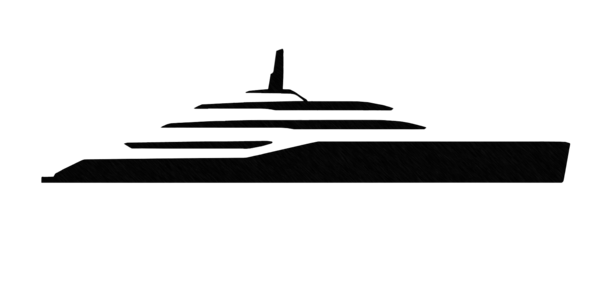
Vessel arrivals / departures, agents, pilots, customs & immigration formalities, and the upcoming-itinerary calendar.
Available in the next release.
Marinas & agents you ship to — berth info, contacts, and one-tap WhatsApp. Used by the "Deliver to" picker on Purchase Requests.
M/Y Netto II — Damen A8002. Defaults to the whole vessel; pick a deck above to focus. Pins show storage spaces, cabins and technical compartments. Click any pin to see what's stored / scheduled there.
Statutory, class, equipment and insurance documents for M/Y Netto II. Tap any card to preview before downloading.
Once you upload your first certificate it will appear here, with expiry tracking and a preview before download.
Only the Captain, HODs and the office can upload — ask one of them if you need a certificate added.
Single source of truth for the vessel — specs, contacts, logins, procedures. Edit live; replaces the Google Doc.
Recent sign-in / sign-out activity from the gangway kiosk.
Photos sourced from Wikimedia Commons — licences vary, check before commercial use. For full editorial control, upload from your camera roll.
Click anywhere on the water to drop a transit waypoint between the two ports. Drag a waypoint to reshape the route. Click an existing waypoint to delete it. The leg distance updates as you go.
Drag to set the cruise speed for this leg. Fuel burn updates from the engine curve.
These apply to every leg that doesn't have its own per-leg speed override.
Monthly periods, duty grid, leave deductions, Ocean Skies fees. Captain & Office only.
Reimbursements, budgets, and the live spend dashboard. Crew file claims; HODs review and mark paid; captain and office set the annual budget and watch the bottom line.
Tap "File a reimbursement" above to send your first claim. Crew across the boat — Stewards / Engineering / Bridge — file here too.
Photos and videos from cruises and onboard life. Captain, HODs and the office can upload; everyone signed in (including charter guests) can view.
HODs can upload the first photos or videos using the Upload button above.
Pre-arrival preference sheets. Send a guest a secure link, they fill in everything from passport to pillow firmness, and it lands here — encrypted where it should be, sharable with the right department, ready for the next charter.
Tap + Add guest preferences to complete a preference sheet on a guest's behalf, or use Invitations → Send invitation to email the guest a secure link.
Secure links you've sent to guests. Each link is single-use and expires.
Tap "Send invitation" to email the first guest their preference sheet.
Crew introductions guests see before they board. Approve a card to publish it; reject to send it back with a note.
When crew submit their Meet-the-Crew card from My Profile, it appears here for your approval.
An email is sent with a personal, secure link. The guest fills in everything we need to look after them.
Pick the one that suits this guest — both save to the same place, so you can swap later if needed.
We've emailed the guest. You can also copy the links below to share via WhatsApp or embed in an invitation. This is the only time we'll show you these links — for security we never store them.
Guest portal link — for the invitation. Opens the guest's voyage, preferences and the Meet the Crew introductions. Scan-friendly QR below for printed or on-screen invites.
Security-relevant events: sign-ins, 2FA enrolment, crew changes, guest invites, kiosk PIN resets. Append-only — entries can't be edited or deleted. Visible to the management company only.
Once events fire — sign-ins, MFA setups, crew changes — they'll appear here in chronological order.
Per-user permission overrides. Pick a crew member to see what they can access today and tick boxes to grant or revoke specific permissions. Defaults come from each person's role; ticking explicitly grants or revokes regardless of role.
Proof-read the layout, signatures and totals below. Nothing is saved to disk until you click Download.
In WhatsApp, open the crew Community → Community info → Invite via link → Copy. Paste below. Crew members will see a Join button on the Crew Directory page. Leave the field blank and Save to remove the card.
Generate one invite per guest. The code lets them open the trip-specific guest portal at
/#/guest — no login required. Codes can be revoked any time.
Sign with your finger, stylus, or mouse. A typed name is required; a drawn signature is optional.
Currently —